

Welcome to KeySnapshots
Learn what KeySnapshots is, how customers use codes, and how photographers share photo moments.
What KeySnapshots does
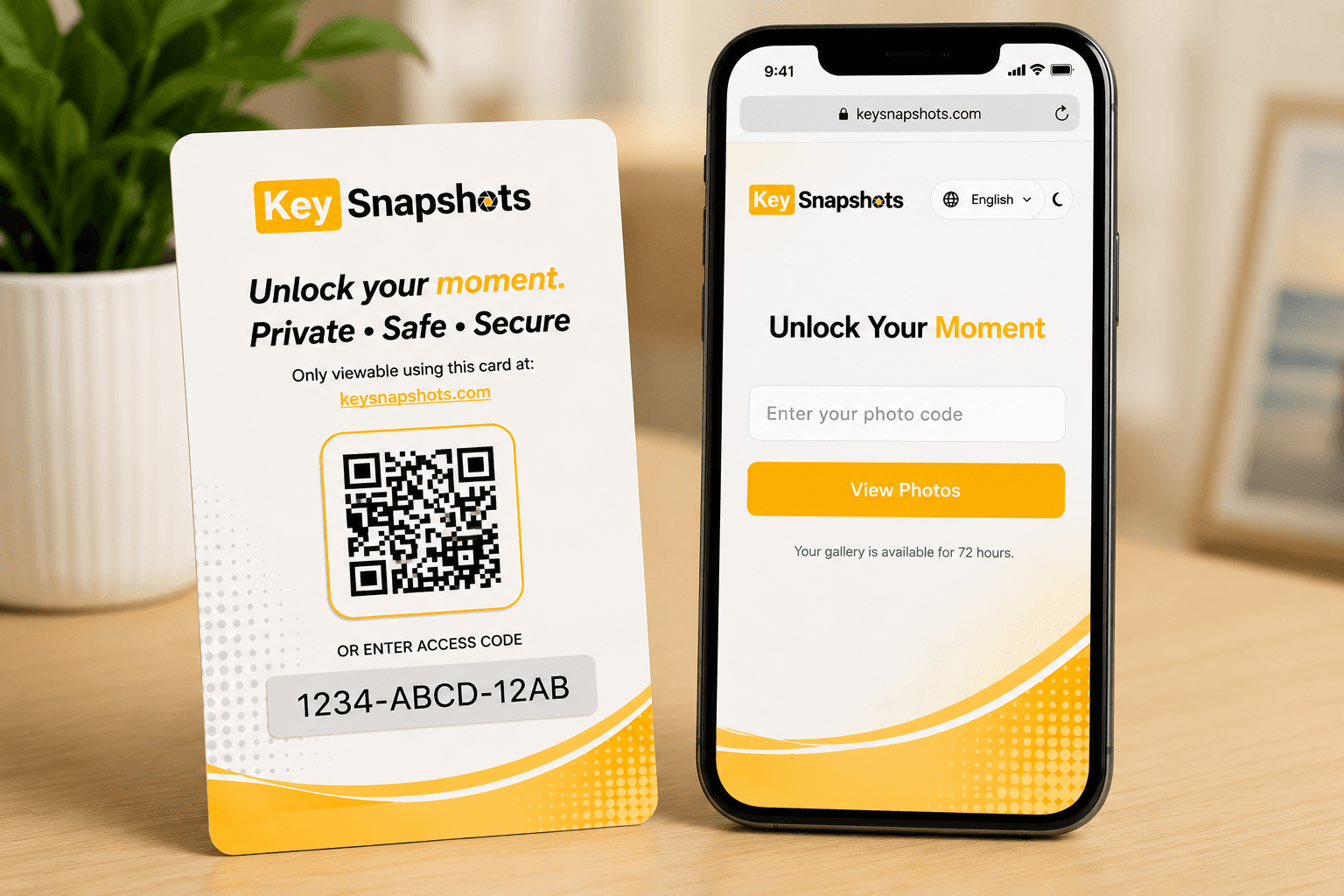
KeySnapshots helps photographers share event photos through a simple QR code or access code. Instead of searching through social media, waiting for a file transfer, or creating an account, guests can use their code to open a private photo gallery.
A photographer may give you a physical card, send you a digital code, or share a link after an event. That code connects you to a gallery called a moment. A moment is a set of photos connected to one event, session, or customer experience.
What you can do with KeySnapshots
With KeySnapshots, customers can:
- Scan a QR code or enter an access code.
- Open a private photo gallery.
- Preview available photos.
- Purchase or unlock the gallery.
- Download photos after purchase.
- Request an email notification if the photos are not ready yet.
Photographers can:
- Create a studio account.
- Use physical cards or digital codes.
- Upload photo moments.
- Set a customer price.
- Share the code or link with guests.
- Manage galleries from the photographer studio.
Do customers need an account?
No. Customers can use a QR code or access code to open a gallery without creating an account. A photographer account is only needed for photographers who upload and manage photo moments.
Related topics
Redeem Your QR Code or Access Code
Open your gallery by scanning a QR code or entering your access code manually.
View, Purchase, and Download Your Photos
Understand photo previews, secure checkout, delivery fees, and download options after your gallery is unlocked.
If Your Photos Are Not Ready
Learn why a valid code may show a not-ready message and how to request an email notification.
Photographer Quick Start
Start using KeySnapshots Studio to upload photo moments, share codes, set prices, and prepare for payments.