

Photographer Quick Start
Start using KeySnapshots Studio to upload photo moments, share codes, set prices, and prepare for payments.
Ready to create your studio?
Sign up to upload photo moments, share codes, and start selling photos with KeySnapshots.
Studio overview
The KeySnapshots photographer studio helps photographers upload photo moments and share them with customers through physical cards, QR codes, or digital codes.
Create a studio account
Start by creating or signing in to your KeySnapshots studio account. Your studio account is where you manage uploads, codes, galleries, pricing, and customer access.
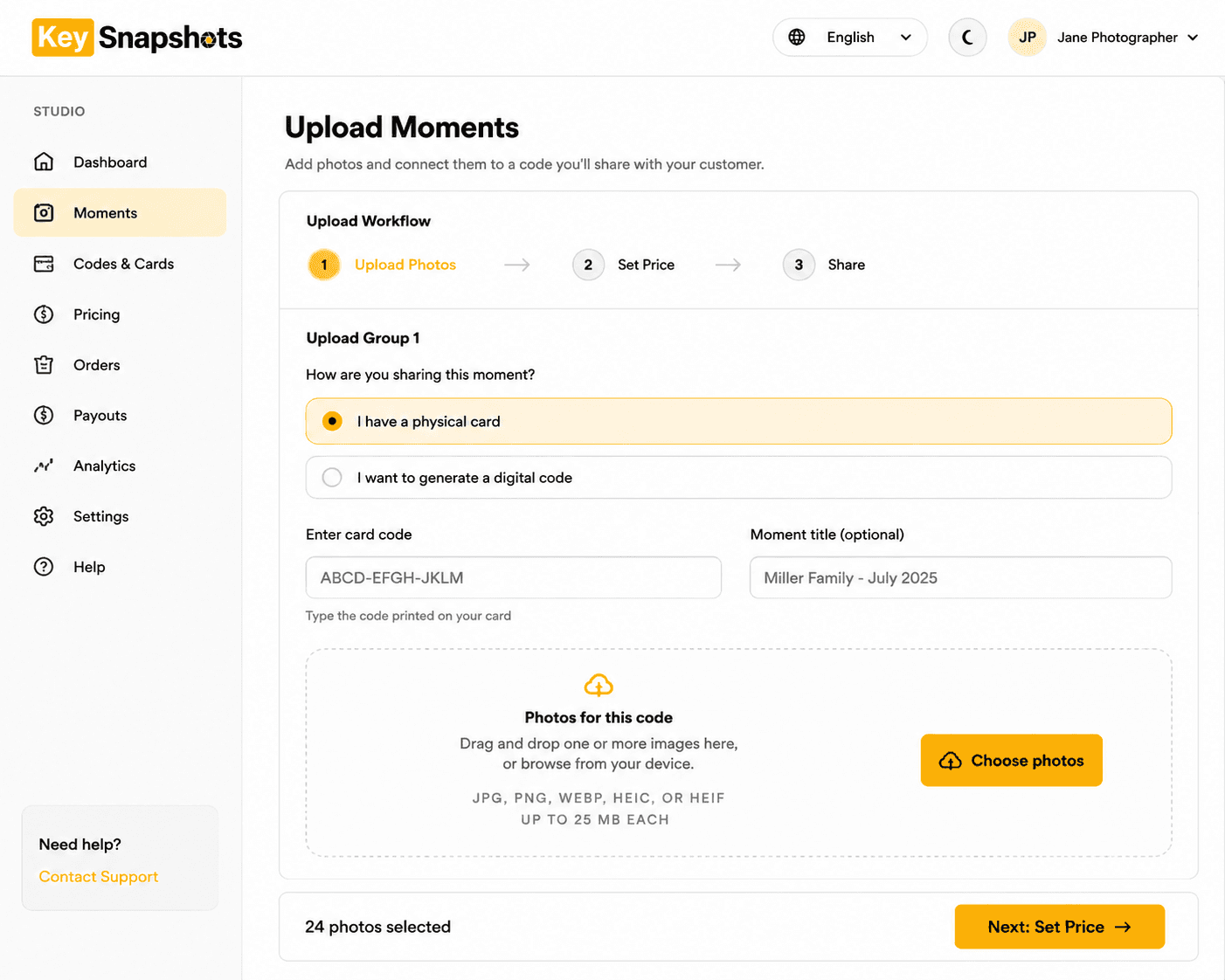
Choose a physical card or digital code
KeySnapshots supports two main sharing methods:
Physical card
Use a printed card with a QR code or access code. Give the card to a customer at an event, booth, venue, or photo session.
Digital code
Generate a code or share link from the studio. Send it to the customer by message, email, or another communication method.
Upload a moment
A moment is a photo set connected to one code, event, or customer experience. To create a moment, upload the photos you want the customer to access. After upload, review the gallery and confirm that the correct photos are connected to the correct code.
Set a price
Choose the price customers should pay to unlock the gallery. Some workflows may also allow a customer to choose a custom amount if that option is enabled.
Share the code or link
After the moment is ready, share the QR code, access code, or link with the customer. Customers can open the gallery, preview photos, purchase or unlock access, and download their photos.
Payments and payouts
KeySnapshots uses Stripe Checkout for customer purchases. Photographer payouts may require Stripe Connect setup before funds can be transferred. Make sure your payout setup is complete before relying on the studio for paid galleries.
Ready to create your studio?
Sign up to upload photo moments, share codes, and start selling photos with KeySnapshots.
Related topics
Welcome to KeySnapshots
Learn what KeySnapshots is, how customers use codes, and how photographers share photo moments.
Redeem Your QR Code or Access Code
Open your gallery by scanning a QR code or entering your access code manually.
View, Purchase, and Download Your Photos
Understand photo previews, secure checkout, delivery fees, and download options after your gallery is unlocked.
If Your Photos Are Not Ready
Learn why a valid code may show a not-ready message and how to request an email notification.